


Find the changes you need to review.
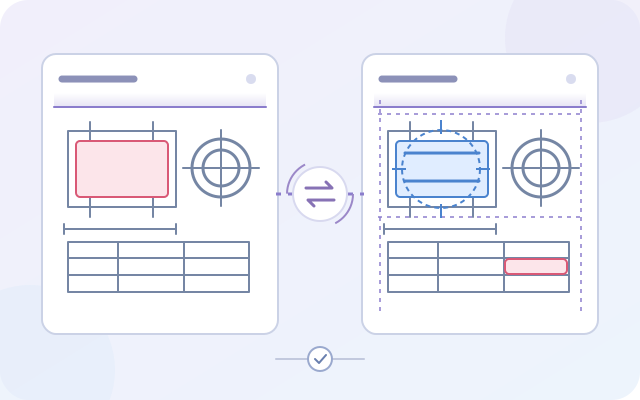
Detect drawing differences and check revisions and missed changes
Compare drawings before and after revision. Additions, deletions and changes to dimensions, text and shapes are highlighted in color so reviewers can check changed areas against correction instructions. Use it for tender and contract drawing comparisons, design revision checks and quantity surveying.
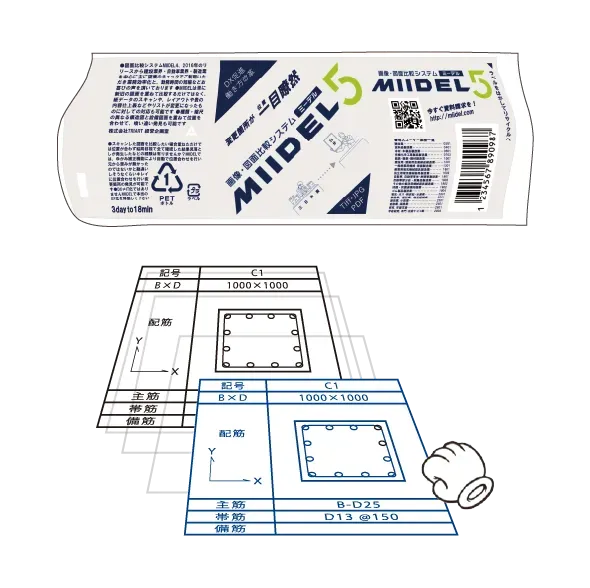
Align differences in scale and layout
Compare documents with different scales or layouts, such as design and construction drawings. Alignment tools help you check content differences even when the layout has changed. Contact us to discuss suitability for your drawings.

Share comparison results as PDFs
Save comparison results as PDFs and share them with designers, quantity surveyors and project partners. Support revision reviews alongside manually added revision clouds and marks.
Explore how MIIDEL can work with your drawings
Supported files
Compare the drawings and images used in your daily work.
- JPEG
- PNG
- TIFF
- AutoCAD DXF
- AutoCAD DWG
- DocuWorks
These and other formats are supported. Request a brochure for a product overview.
Discuss using your own data
Contact us about a free trial to evaluate MIIDEL with your drawings.
We will explain the evaluation process and detailed requirements individually.
Customer stories
Construction and housing / Quantity surveying
Changes between drawing revisions are highlighted in color and shared with external quantity surveyors, helping teams check small changes and coordinate their work. (Summary of the published customer story.)
Read the Daiwa House Industry customer story →Automotive parts manufacturing / Production engineering
Teams compare revisions to scanned drawings with handwritten notes and related forms, then attach the results to the original drawing for approval. They also use MIIDEL when drawing layouts change. (Summary of the published customer story.)
Read the Musashi Seimitsu Industry customer story →Frequently asked questions
How many people can use a trial, and for how long?
Tell us the number of users, preferred evaluation period and department when you contact us. We will explain trial conditions and how to evaluate MIIDEL with your drawings.
Can we discuss an evaluation involving confidential drawings?
We can discuss an evaluation process suited to your drawing handling rules and security requirements. Please contact us about the conditions first, without sending confidential drawings.
How can we identify changes and differences between drawings?
Load the earlier and revised drawings, align scale or layout as needed, and compare them. Color highlights show additions, deletions and changes to dimensions, text and shapes. Save the results as a PDF to share with your team.
Can we check for missed drawing corrections?
MIIDEL helps reviewers compare drawing differences with correction instructions to check whether requested changes were made and whether unintended changes occurred. It does not automatically interpret correction instructions or determine whether a design is correct.
Can we compare design and construction drawings with different scales or layouts?
MIIDEL includes tools to correct differences in scale and layout. Contact us to discuss suitability for your data and how to evaluate it.
Can we share comparison results with project partners?
Comparison results can be exported as PDFs. Contact us to discuss how to use them within your team and with project partners.
Request a brochure or discuss your requirements
Request a brochure for a product overview. Contact us to discuss suitability for your drawings, detailed requirements and a free trial. Please do not send confidential drawings with your initial inquiry.
Explore the product and key features in our brochure.