Drawing search, image search and file management software for Windows
No cloud needed. Your company's drawings and documents. Find. Check. Organize.
Search and analysis of drawings and documents stay on your PC (locally) and company LAN. From image search for similar drawings and full-text search to checking where personal and confidential information is stored and managing everyday files.
No dedicated server
No uploads
Start with one PC
Fast local searchNo network or server wait
Across devices on your company LANNo internet connection in between
For days spent finding documents, and days spent organizing them.
Where was it?
Find it from a clue, even if the name escapes you.
Find the drawings and documents you need with image search using a drawing or image at hand, or full-text search using words in the content. Search this PC together with documents shared by other devices on your company LAN.
What is there?
Check where personal and confidential information is stored.
Search files using keywords or presets for personal and confidential information. Preview the results as a list and check the contents and storage locations to see where confidential information is held.
Get organized
Organize files on your device as an alternative to File Explorer.
Browse folders on your device and copy, move or rename files as an alternative to Windows Explorer. Check contents in previews and add tags to manage your drawings and documents.
Illustrations show usage concepts and differ from the actual interface.
SEARCH WITHIN YOUR NETWORK
Search your company's files, without going through the internet.
MiidelMap instances on your company LAN connect directly to search files shared by other devices. Search traffic stays within your company network.
No dedicated server to build and no files to upload to the cloud. Documents stay on each device while you view local and other devices' search results together.
Start with a single PC. To work across devices, start MiidelMap on each device and register the connections. Network integration is disabled by default, and searches are limited to folders and files the other party has allowed to be shared.
This PCLocal documents
Search directly on the company LANNo internet connection in between
Registered peer PCShared documents
GET READY
Start with the folders you already use.
Initial setup guides you through preparing your searches.
01
Choose what to search
Register the file types you want to find and the folders where they are stored.
02
Set it up your way
Choose where to store analysis data. Right-click search, AI chat and network integration are optional settings.
03
Set up the models and start searching
Set up the required image-search model. As document analysis progresses, the documents become searchable.
For search results and document text passed through AI chat integration, check the connected AI chat app for where they are sent, how they are stored and their terms of use.
FAQ
MiidelMap FAQ
Can I search for drawings and images using an image?
Use a drawing, image or PDF page at hand to find visually similar drawings and documents. You can also select an area to search by part of a drawing, such as a component or symbol. Search covers documents in registered folders that have been analyzed. The image search model is prepared during initial setup.
What kinds of files can I search?
Supported formats include PDF, images (PNG, JPEG, TIFF), Word, Excel, PowerPoint, text (TXT, MD, CSV) and DXF. Search by text in the content as well as file names. With an OCR model prepared, you can also search text in photos and scanned PDF files. Converting Office documents requires Microsoft Office or LibreOffice.
Are documents uploaded to the cloud?
Search indexing, OCR and image analysis run on your PC, so there is no need to upload documents to the cloud. Searches on other devices on your company LAN also communicate within the company network. When connected to a chat AI, search results and document content are passed to the connected app.
What are the system requirements?
The software is being prepared for Windows. Detailed requirements, including supported Windows versions, will be announced when it becomes available. No dedicated server is needed; you can start with a single PC.
Can I use it to manage drawings?
Keep your existing folder structure while previewing, tagging, organizing and searching drawings and documents. You can also copy, move and rename files, and include documents on NAS or shared folders in searches. Drawing version control and approval workflows are not provided.
How does it differ from MIIDEL drawing comparison software?
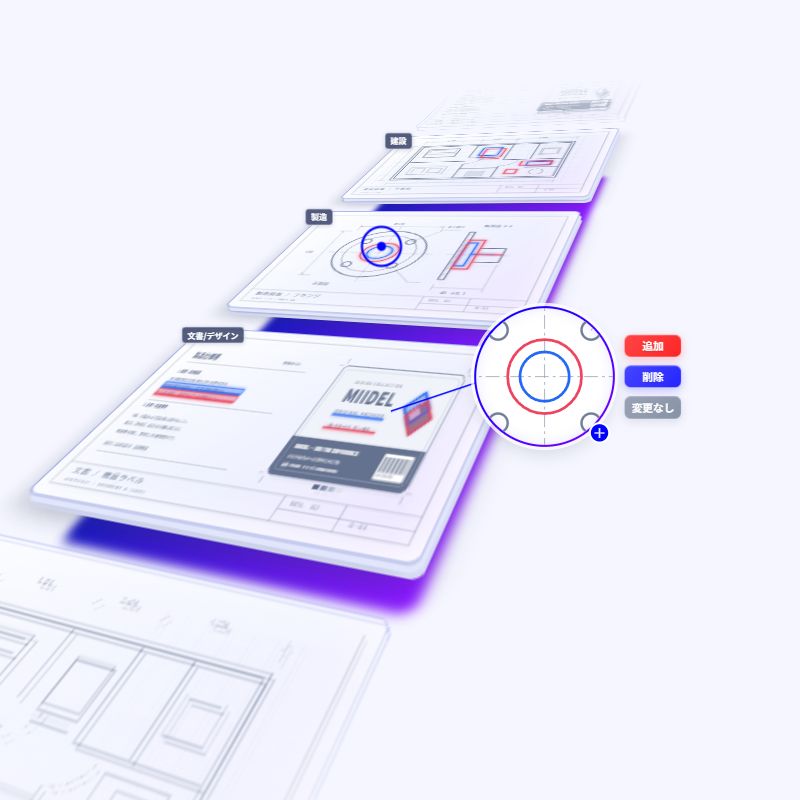
MIIDEL is drawing comparison software that detects changes between old and new drawings and highlights them in color. MiidelMap is file search software for finding, checking and organizing drawings and documents on your PC and company LAN.
The content shown is still under development. Features and specifications may change before release.
For detailed drawing comparisons, turn to Miidel.
Overlay old and new drawings to visualize additions, deletions and changes in color. From checking small differences to sharing comparison results, Miidel helps you review drawing revisions.